
1.4.9: Split Long Screenshots with Overlap
Split a long screenshot into readable pieces with the smart splitting and adjustable overlap introduced in Snow Shot 1.4.9. On Windows and macOS, choose the source image, check cut lines, set overlap and export the pieces in order. This is useful when a chat preview makes the full image too small to read.
The 1.4.9 Release was published on November 6, 2026 (UTC). It also adds TIFF input/output, moving and resizing collage images, a global scrolling-capture action and HTTP proxy settings. It fixes copying after editing a scrolling capture. See Changelog for the other changes.
Inspect the source before smart splitting
Smart splitting finds useful boundaries; it does not repair a bad scrolling stitch. Open the source and check missing or duplicated lines and the start/end range. Fix the source using scrolling-capture troubleshooting before splitting it. More pieces make an uncorrected source harder to audit.
Import the image and verify cut direction
- Search the main window for Split selected images, select the result and click its action row. With no file selection available, an empty Image split window opens.
- Click Select image or drag in one file. Each window processes one image.
- Inspect the cut lines: Vertical (垂直) means vertical cut lines; Horizontal (水平) means horizontal cut lines. To divide a tall image into top and bottom pieces, choose Horizontal. For left/right pieces, choose Vertical.
- Choose Smart split, set the target Image count, wait for the preview and check whether a line crosses text.
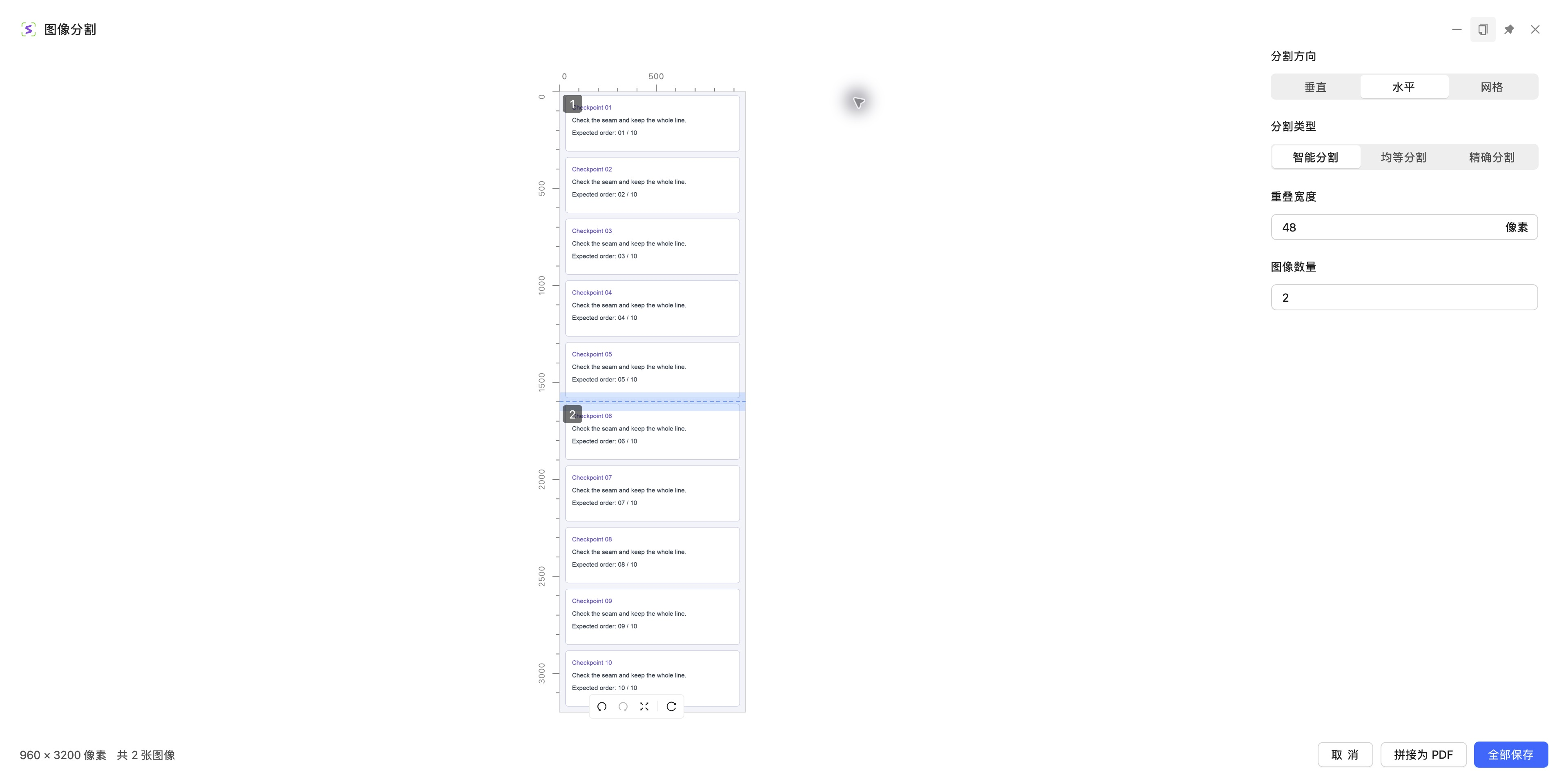
App screenshot. The source is 960×3200 and the target count is two. Check that the line separates top and bottom.
Review the lines yourself
The suggested boundaries do not establish which sentence must stay together. Enlarge the preview, add lines on the ruler when needed, drag existing lines away from text, and select an unwanted line before pressing Delete. Use Equal split for a prescribed count or Exact split for dimensions. Inspect the preview again after changing modes.
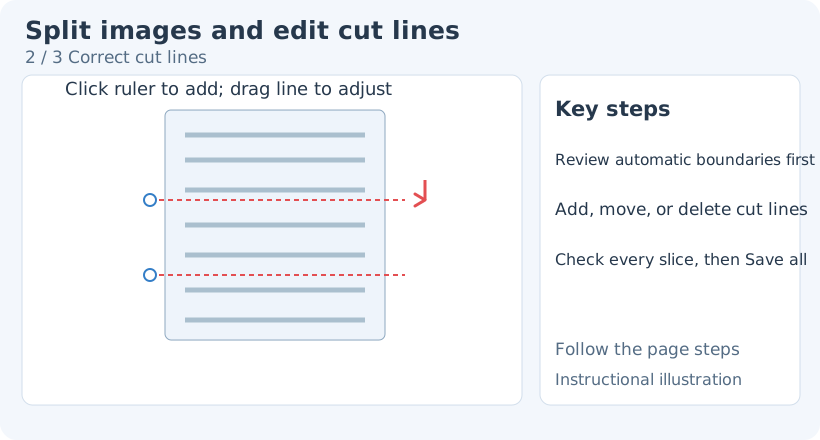
Teaching diagram. Judge the actual boundary, not the fact that a mode is automatic.
Retain context with overlap
Overlap width keeps an additional pixel region outside each cut line. Zero adds no overlap. A positive value gives the previous piece's end and the next piece's beginning some common content. This intentional export choice differs from a duplicated scrolling stitch.
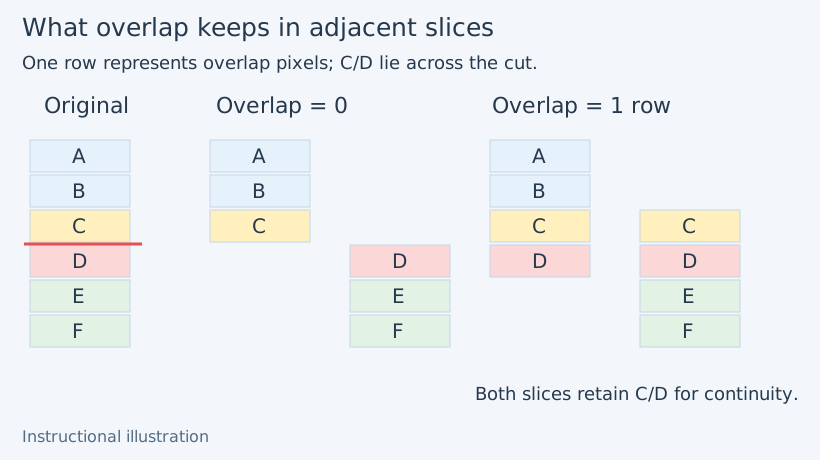
Teaching diagram. Some overlap helps continuity; too much adds unnecessary repetition.
Start with a small value such as 48 pixels and inspect the boundary. That may not cover a whole line in a large-font source. Adjust it for the actual image rather than treating the example as a universal optimum.
Save all and compare the seams
Click Save all (全部保存) at the bottom right, choose a writable folder and wait for completion. Open the generated subfolder and check the number of files. In order, compare the end of one piece with the start of the next. Each should retain complete content, with a shared area matching your overlap choice.
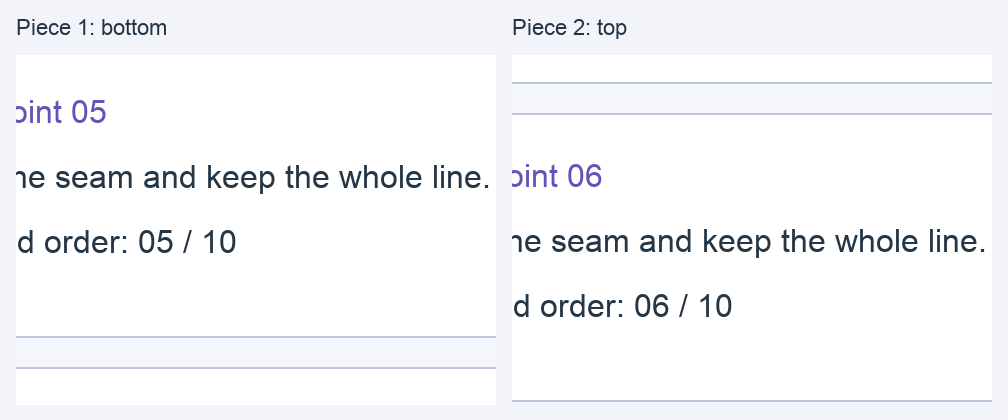
Actual exported output, with labeled boundary crops. Both pieces retain the same stretch of context.
For partial success, inspect both the error and existing files before retrying. One exported image is not proof that the batch completed. For paper documents, use Stitch to PDF, then check order, paper and margins in the new workflow. See image-to-PDF.
Keep important source images before updating. The copy fix and splitting feature are separate changes. If copying still fails, save a PNG to inspect completeness, then report the precise scrolling→editing→copy sequence. For splitting failures, provide version, source dimensions, direction, mode, target count, overlap, actual file count and a sanitized boundary sample. Split manual · Download · Export logs.