
REGION CAPTURE
Region screenshots, precisely selected.
Draw a selection, fine-tune its edges, and bring up your tools. The rest fades away so your subject stands out.
Region capture and Smart SelectionRegion captureInteractive demo
Selection ready
Snow Shot for Windows and macOS. Annotate captures, take scrolling screenshots, extract text with local text recognition, and pin references above your work.
SNOW SHOT / TRY IT YOURSELF
Capture, annotate, recognize and share. Watch each workflow, then make it your own. These fixed-sample demos stay inside this page.
REGION CAPTURE
Draw a selection, fine-tune its edges, and bring up your tools. The rest fades away so your subject stands out.
Region capture and Smart SelectionANNOTATION
Point with an arrow, frame a detail, or highlight a line. Pick a tool and draw directly on the capture.
Annotation basics and shared stylesA screenshot keeps everyone on the same page.
TEXT RECOGNITION
Locate the text, recognize each line, and compare it with the original. Select or copy the result. Snow Shot supports local text recognition.
Text recognition and cleanup Snow Shot / Text recognition
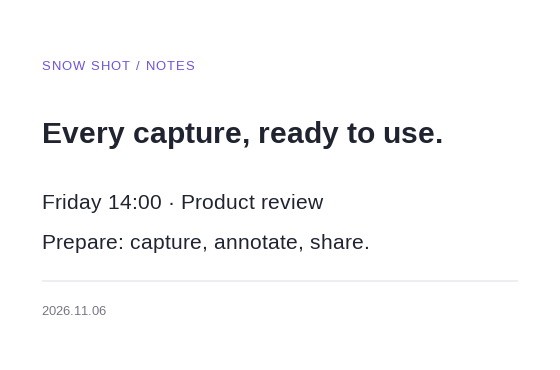
Your image, as editable text.
Choose Recognize to see the process.DOCUMENT RECOGNITION
Keep table rows and columns, turn formulas into LaTeX, decode QR codes, and convert documents to Markdown. Try each sample and inspect its output.
Table recognition and cell editingSnow Shot / Document recognition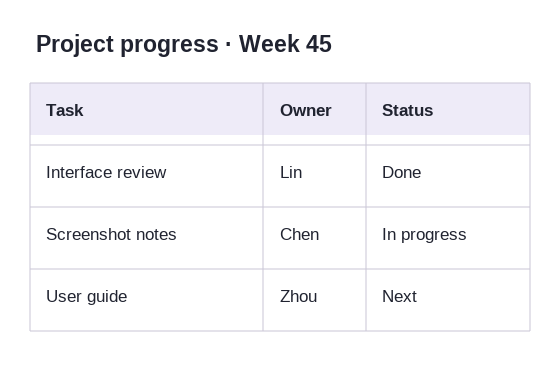
Every row and column, preserved.
Choose Recognize to reveal the result.Table and QR recognition are available in the full edition. LaTeX and Markdown conversion use the services configured in the app.
PIN TO SCREEN
Float a capture above your windows while you work. Move it or adjust its opacity to keep your reference close.
Image and clipboard pins# Design review
Keep your reference beside your work.
capture → annotate → shareStay focused without switching windows.
A screenshot keeps everyone on the same page.
Turn a capture into a reference above other windows.
SCREEN RECORDING
Choose a region and start recording. Pause the scene and timer together, then stop and review what you captured.
Recording area, start, pause, and stopTry selecting, recording, pausing and replaying. This demo does not record your screen.
SCREENSHOT HISTORY
Your review capture, table and text sample are here. Filter by source, select a thumbnail and open it for a closer look.
Screenshot history and bulk actionsA LITTLE MORE CONTROL
Invoke the screenshot and copy the result.
OPEN SOURCE / BUILT IN THE OPEN
Snow Shot is free and open source. Report issues, share ideas, or contribute code on GitHub to help make everyday capture and recording smoother.
Visit the official Snow Shot GitHub repositoryCross-platform · Open collaboration · Always improving
READY WHEN YOU ARE
Snow Shot is carefully crafted for efficient work, making every screenshot simpler and better.